Create AWS EKS Cluster — eksctl
Create AWS EKS Cluster — eksctl
Creating Kubenetes cluster in AWS have multiple options like using AWS SDK, Terraform, Cloudformation and easy and quick for new learner using AWS Console. In this blog we going see another well know method of creating AWS EKS cluster using “eksctl” command by using as YAML configuration in default VPC. ( Same can be create by CLI command).
Let’s get start
Prerequisites:
Let install these binary one by one
- AWS CLI
- eksctl CLI
- kubectl
Step 1. Install AWS CLI (Mac OS)
Download AWS CLI binary
curl "https://awscli.amazonaws.com/AWSCLIV2.pkg" -o "AWSCLIV2.pkg"

Install AWS CLI
sudo installer -pkg ./AWSCLIV2.pkg -target /

Verify the installation
which aws
aws --version

Step 2. Configure AWS CLI
Step 2.1. Login to AWS console as root user
Step 2.2. Create IAM user
username: kubedeveloper
No AWS console access, Only programmatic access
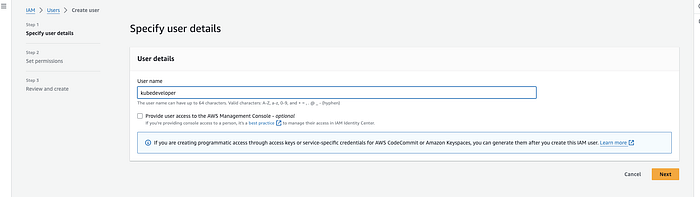
Provide Username
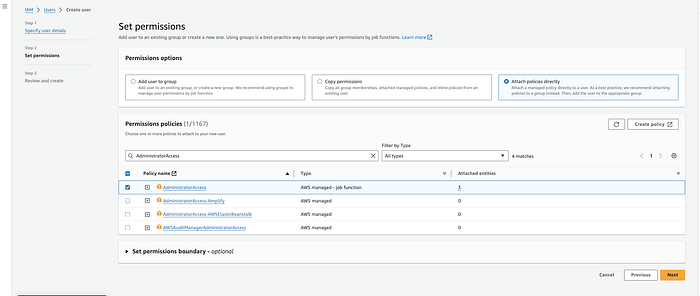
Permission as per User Type
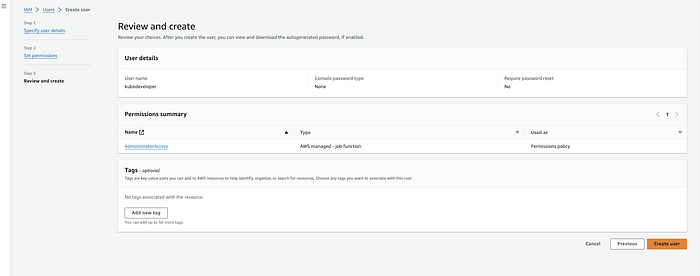
Create Access and SecretAccessKey
Step 2.3 Select the IAM user “kubedeveloper”
Step 2.4 Navigate to Security Credentials
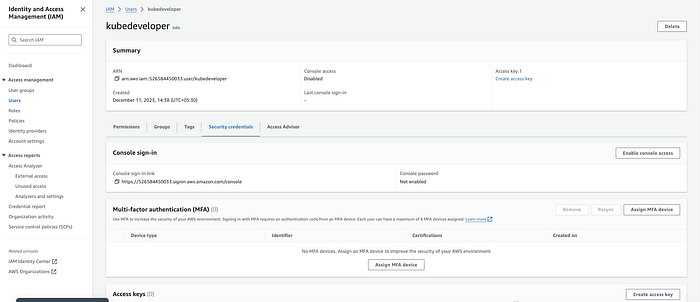
Step 2.5. Click Create access key

Step 2.6 Select Use case :
Command Line Interface (CLI) & check the Confirmation
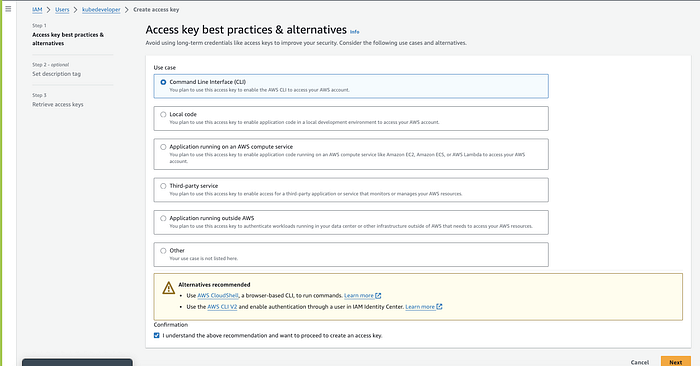
Step 2.7. Set description tag — optional and Click create
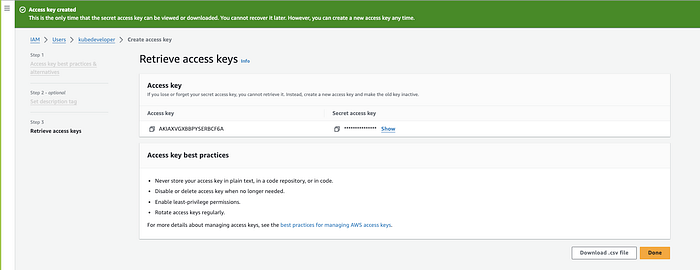
Now we got AccessKey and SecretAccessKey,
Next, Let configure AWS CLI on Mac OS command line
Note: if multiple aws account configured, use — profile
$ aws configure

Validate AWS CLI Access
Run any aws command to list resources
Here eg: To list s3 buckets on my AWS account
bala@kubelancer Downloads % aws s3 ls
Getting output, which denoted AWS access has been configured correctly
bala@kubelancer Downloads % aws s3 ls
2022-12-13 21:36:02 firehose-backup-05bf6840
Install eksctl on Mac OS
To download the latest release, run on Mac OS (arm64 architecture):
curl -sLO "https://github.com/eksctl-io/eksctl/releases/latest/download/eksctl\_Darwin\_arm64.tar.gz"
tar -xzvf eksctl\_Darwin\_arm64.tar.gz
sudo mv ./eksctl /usr/local/bin
Ref: https://www.weave.works/oss/eksctl/
Step 3: Creating an AWS EKS Kubernetes Cluster using eksctl tool
3.1. Create Cluster configuration yaml file
$ vi cluster-config.yaml
apiVersion: eksctl.io/v1alpha5
kind: ClusterConfig

metadata:
  name: kubelancer-cluster-1
  region: us-east-1

nodeGroups:
  - name: ng-1
    instanceType: t4g.medium
    desiredCapacity: 2
    volumeSize: 20
    ssh:
      allow: false
3.2 Let’s create eks cluster on aws using eksctl command
$ eksctl create cluster -f cluster-config.yaml

Cluster created successfully
Note: if multiple aws account configured, use — profile
Get the cluster name by using eksctl command
eksctl interact with AWS API and get the required details from AWS cloud
$ eksctl get cluster --profile kubedev

Use the following command to get update kube-config.
$ aws eks update-kubeconfig --name=kubelancer-cluster-1 --region=us-east-1
Verify the Cluster
kubectl get nodes

Cluster Node Status
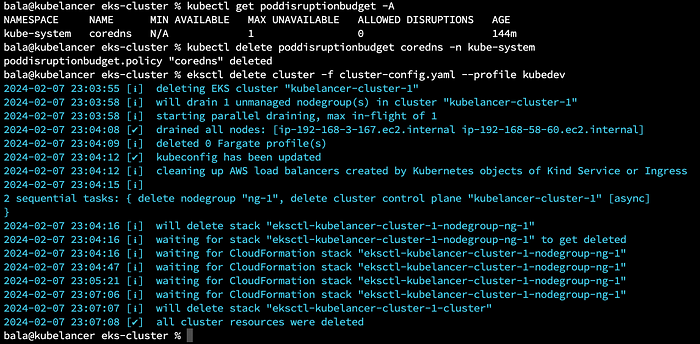
Delete Cluster
$ kubectl get poddisruptionbudget -A
$ kubectl delete poddisruptionbudget coredns -n kube-system
$ eksctl delete cluster -f cluster-config.yaml --profile kubedev
Happy Computing :)
👉 Originally published on Medium: Read more