Kubecost | Kubernetes cost monitoring and management
· 2 min read
Step 1: Create an AWS EKS Cluster
kubectl get node

Step 2: Enable Kubecost add-on using AWS CLI
aws eks create-addon --addon-name kubecost\_kubecost --cluster-name kube-cluster-3 --region us-east-1

Step 3: Deploying Kubecost on an Amazon EKS cluster using Helm
Step 3.1: Install Prerequisites
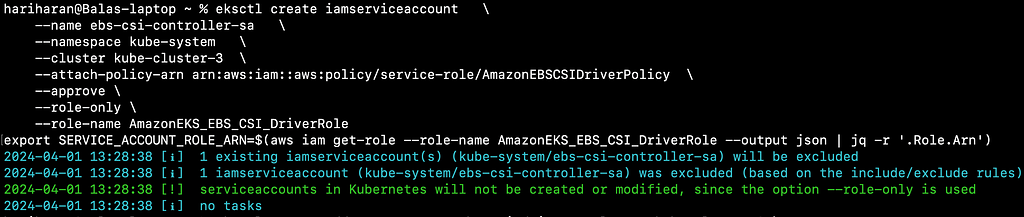
eksctl create iamserviceaccount   \\
    --name ebs-csi-controller-sa   \\
    --namespace kube-system   \\
    --cluster kube-cluster-3  \\
    --attach-policy-arn arn:aws:iam::aws:policy/service-role/AmazonEBSCSIDriverPolicy  \\
    --approve \\
    --role-only \\
    --role-name AmazonEKS\_EBS\_CSI\_DriverRole

export_ SERVICE\_ACCOUNT\_ROLE\_ARN=$(aws iam get-role --role-name AmazonEKS\_EBS\_CSI\_DriverRole --output json | jq -r '.Role.Arn')
Step 3.2: Install the Amazon EBS CSI add-on for EKS using the AmazonEKS_EBS_CSI_DriverRole
eksctl create addon --name aws-ebs-csi-driver --cluster kube-cluster-3 \\
    --service-account-role-arn $SERVICE\_ACCOUNT\_ROLE\_ARN --force

Step 3.3: Install Kubecost on your Amazon EKS cluster
helm upgrade -i kubecost \\
oci://public.ecr.aws/kubecost/cost-analyzer --version "1.104.4" \\
\--namespace kubecost --create-namespace \\
\-f https://raw.githubusercontent.com/kubecost/cost-analyzer-helm-chart/develop/cost-analyzer/values-eks-cost-monitoring.yaml

Step 4: Generate Kubecost dashboard endpoint using port-forward
kubectl port-forward --namespace kubecost deployment/kubecost-cost-analyzer 9090

Step 5: Access Monitoring dashboards
http://localhost:9090

Happy computing :)
👉 Originally published on Medium: Read more